
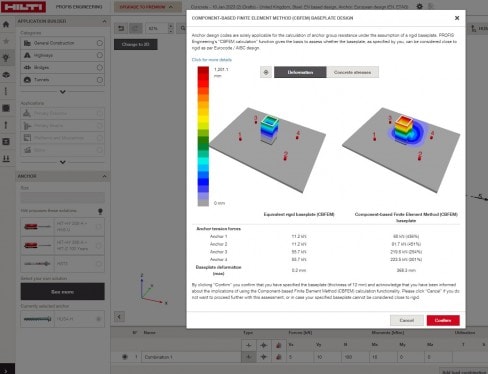
Analysing the baseplate rigidity following EC2 EN1992-4 using PROFIS Engineering.
Where can I activate or deactivate the baseplate rigidity analysis?
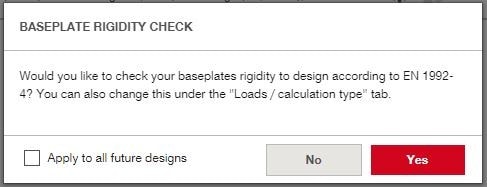
To make users aware there is a new functionality our current default is "always ask", this means that there will be a pop-up whenever a new design is started. By checking the apply to all future designs box this option can then be set as a preferred default.
In the load tabs you can also activate or deactivate the rigidity check for already existing designs or adapt your current design from default settings.
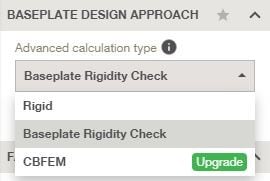
In the settings tab you can change the default settings under the section "advanced baseplate calculation settings".

How can I analyse the base plate's rigidity?
The solution is quite simple - with PROFIS Engineering the verification of the base plate's rigidity is done through comparison of the equivalent rigid base plate (modelled and CBFEM) and the user specified base plate - also modelled in CBFEM. For the comparison 3 categories can be checked:

